Contact Us

If you still have questions or need technical support, please submit a request.
We’ll get back to you ASAP.

Please provide as much detail as possible, including your company name and a link to the page you need assistance with.

  • Support Portal
  • Log In
  • Home
  • Titan Maintenance
  • Implementation & Setup Guide

Asset Downtime

Learn how to configure the Asset Downtime feature to monitor unavailable assets while under maintenance.

Written by Jess Hamilton

Updated at May 7th, 2026

Contact Us

If you still have questions or prefer to get help directly from an agent, please submit a request.
We’ll get back to you as soon as possible.

Please fill out the contact form below and we will reply as soon as possible.

  • Titan Compliance & Fuel Analytics
    Data & Connectivity: Titan Cloud Edge Basics Environmental Compliance Fuel Analytics Integrations Facility Maintenance (Legacy) Setup & Implementation
  • Titan Supply & Logistics (TFX)
    Fuel Dispatch & Logistics Forecasting & Inventory Management Back Office Management Supply Management Titan Logistics Implementation & Setup Supply & Logistics Support Resources
  • Titan Maintenance
    Site User Guide Management User Guide Contractor / Supplier User Guide Implementation & Setup Guide
  • Release Notes
    Titan Logistics (TFX) Release Notes Titan Cloud Edge Release Notes Titan Maintenance Release Notes
+ More

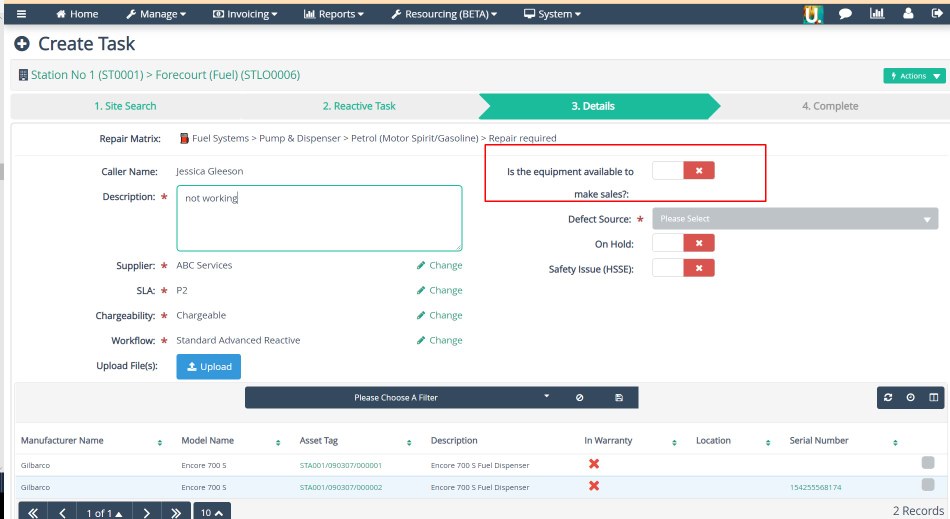
The asset downtime feature in Titan Maintenance (Urgent) prompts a question when the task is being created: "Is the asset available to make sales" or "is the asset working." 

If the answer is no (negative / red), the system will start the asset downtime clock. This will run until prompted again via a status change (configurable in the workflow) or when the task is complete.
Screenshot_62.png
Example of asset downtime question


Screenshot_52.png
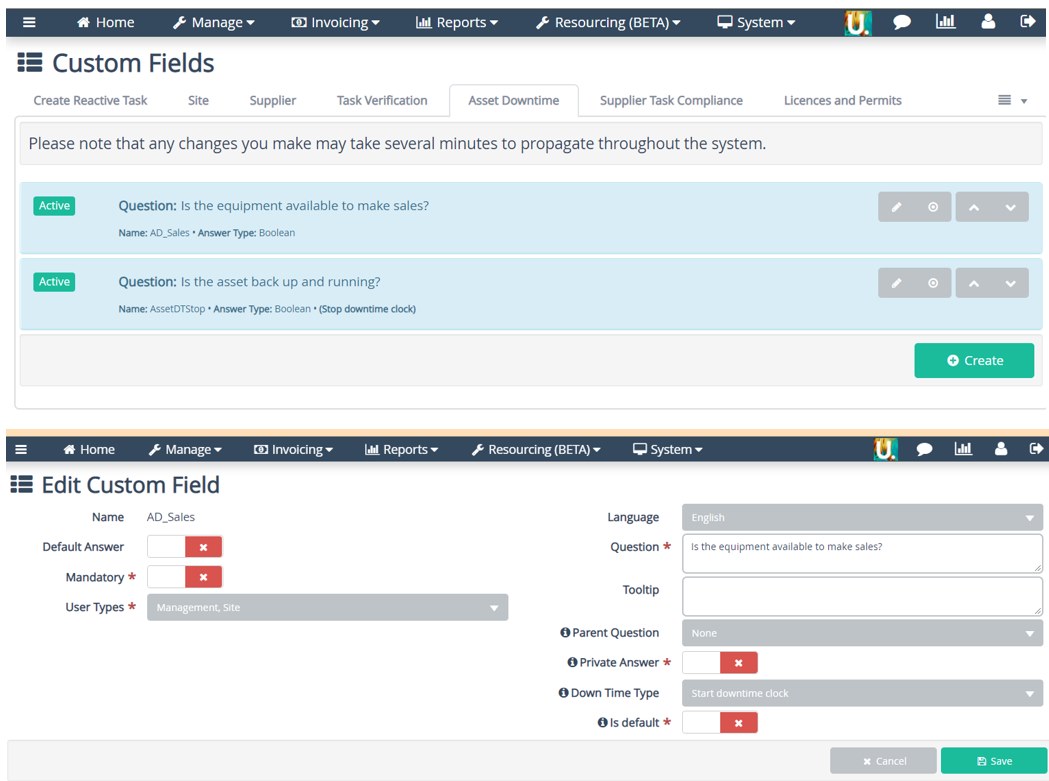
Configure in System > Custom Fields > Asset Downtime


Screenshot_61.png
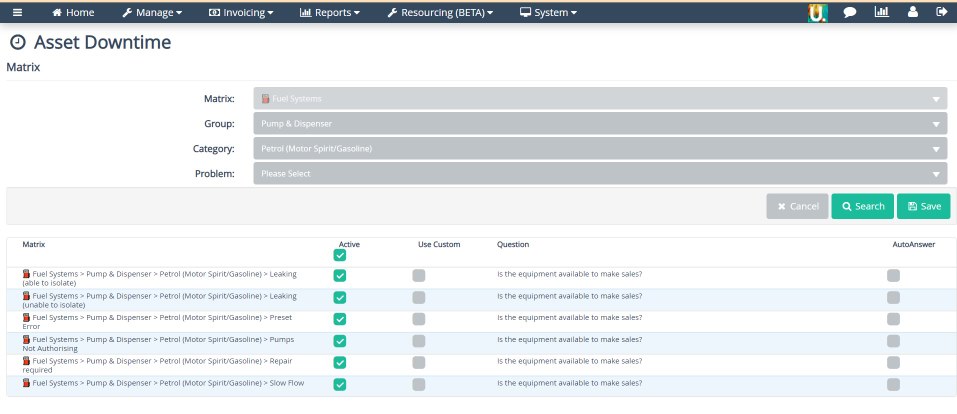
Configure in System > Matrices > Actions > Asset Downtime. Use the Select box to enable the question and press save.


Screenshot_51.png
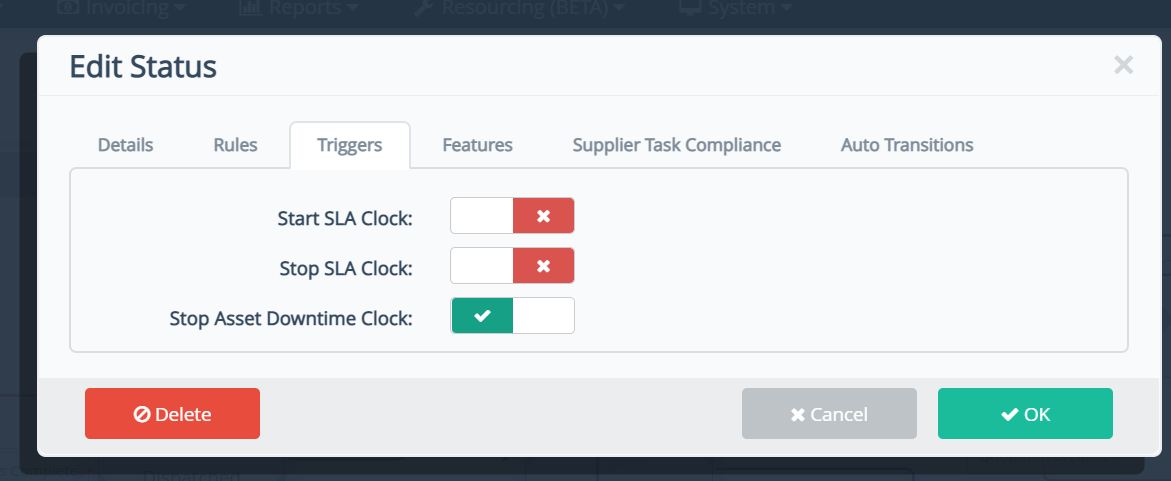
Add the stop trigger and question to the workflow status on any occasions where it would be appropriate to ask if the asset is back up and working. For example, parts on order as the contractor may have been able to apply a temporary fix.
  • Titan Maintenance

    Was this article helpful?

    Yes
    No
    Give feedback about this article

    Related Articles

    • How to Configure & Manage Assets
    • Facility-Level Legacy Maintenance Setup
    • Scheduled Tasks
    Titan Cloud Software

    twitter-logo linkedIn-logo youtube-logo

      © 2026 Titan Cloud Software. All Rights Reserved

      • Cookie Policy
      • Privacy Policy
      • Terms of Use
      • End User Agreement

      Knowledge Base Software powered by Helpjuice

      Expand